

Dark interiors
Dark listing photos, made readable
A room shot against the windows goes black in the corners. Magic Home Photos opens the shadows and restores the glass. Same room, same framing.
No subscription. 1 credit per photo. Your photos remain your property.
New here? Read what Magic Home Photos is and how it works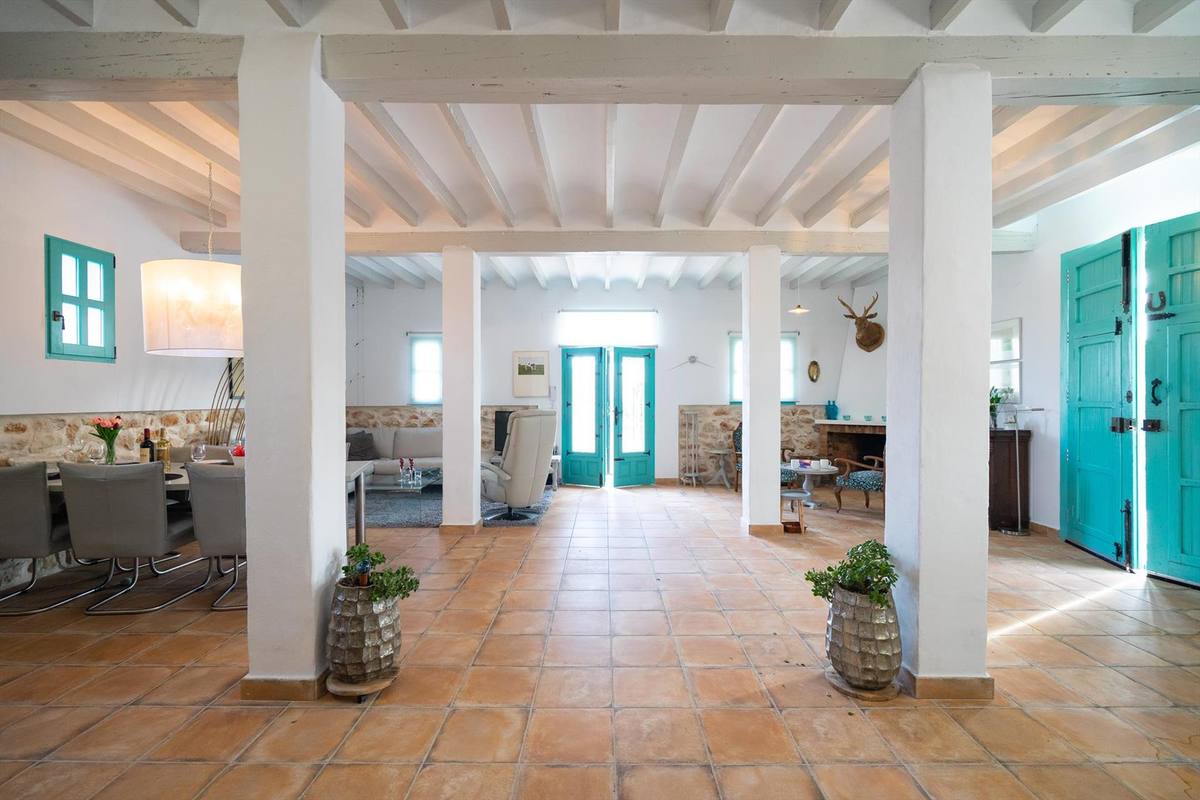
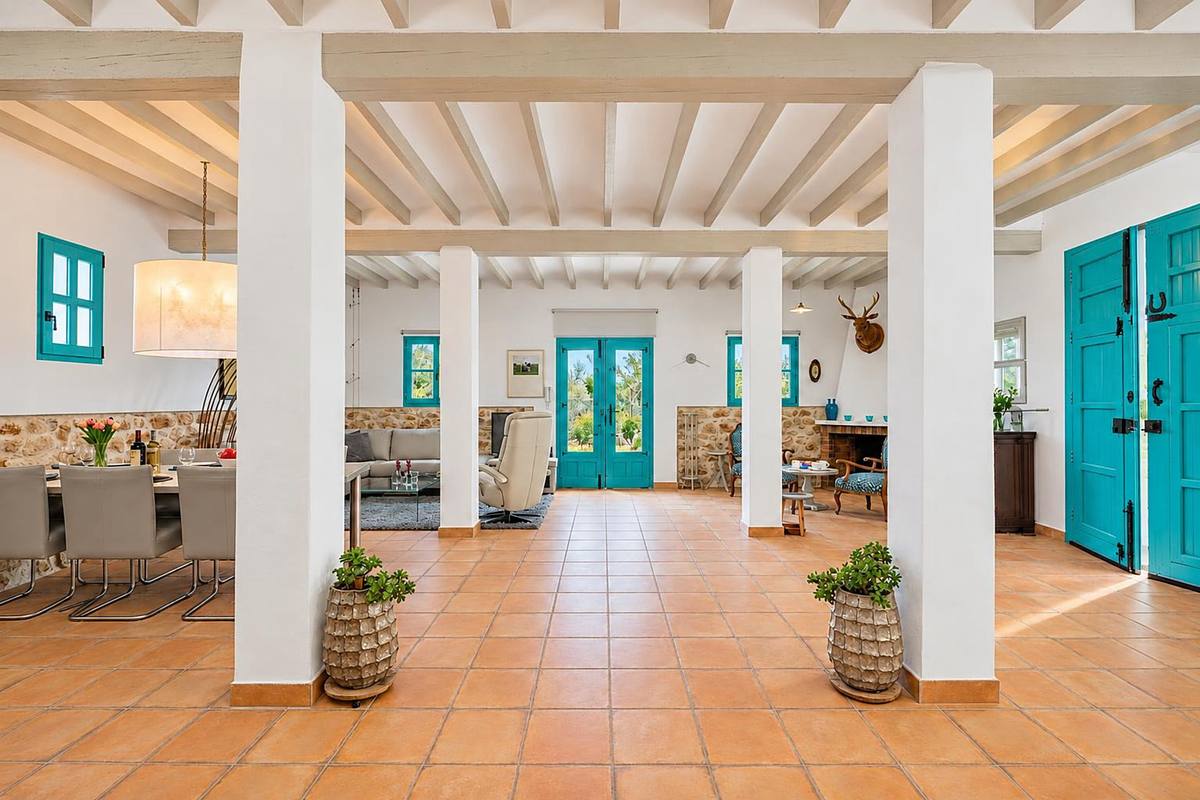
It’s too dark indoors because of the bright light outside.
Why interior photos come out dark
Your eyes adjust to a room with bright windows. A camera cannot. It exposes for the brightest part of the frame, so the windows look fine and the rest of the room drops into shadow. Or it exposes for the room, and the windows turn white. Phones try to solve this with automatic HDR, which often leaves the room flat, grey or yellow from indoor lamps.
On a listing portal, that dark photo is the first impression. People scroll past rooms they cannot read, and a dark living room looks smaller than it is.
Magic Home Photos balances the exposure in the photo you already have. Shadows are opened, bright windows are eased back and the colour is brought back to neutral. It recovers detail the file already holds. It does not add lamps, windows or furniture.
What it does
The standard pass
Dark corners opened, without blowing the windows further.
Ask per photo
Natural colour, no yellow cast from indoor lamps.
Not unless you ask
A short instruction if one wall still needs more light.
Typical situations
North-facing rooms
Little direct light, even at midday. The standard pass lifts the whole room evenly.
Shooting against the window
The view is bright, the sofa is black. The shadows open up while the window stays readable.
Evening and winter shoots
Lamps on and a yellow cast. Ask for “neutral colour” on that photo.
Rooms without windows
Hallways, bathrooms and box rooms. If one wall stays dark, add “more light on the left wall”.
How it works
- 01
Upload your photos.
JPG, PNG, or WEBP.
- 02
Add a short instruction if needed.
Only on the photos that need something specific.
- 03
Download.
A few minutes per photo, in the background. Each photo can be edited 3 times per credit.
Frequently asked questions
- Does it invent light that was not there?
- No. It recovers detail that is already in the file and balances the bright and dark areas. The room, the furniture and the view stay as they were.
- Can it fix blown-out windows?
- It eases bright windows and brings back detail where the file still holds it. If a window is pure white in the original, there is less to recover: the result is calmer, but it will not create a new view.
- Will the room look staged?
- Only if you ask. The standard pass changes light and colour, not the contents of the room.
- Does it work with phone photos?
- Yes. Phone photos often gain the most, because automatic HDR tends to flatten the light. You can upload JPG, PNG or WEBP.
- How can I take brighter photos in the first place?
- Open the curtains, shoot during the day, switch off the flash and stand in a corner or doorway so you see more of the room. Then let Magic Home Photos do the rest.
- What if a photo needs another pass?
- Each credit includes up to 3 edits of the same photo. If a corner is still too dark, add a short instruction and run it again at no extra cost.
- What does it cost?
- 1 credit per photo, with no subscription. New accounts start with 15 free photos.