

For interior stylists
Show clients the idea, on a photo of their own room
Clients find it hard to picture a new colour or a calmer layout. Upload a photo of the room, describe the change, and show a realistic impression of your proposal. Same room, same framing.
No subscription. 1 credit per photo. Your photos remain your property.
New here? Read what Magic Home Photos is and how it works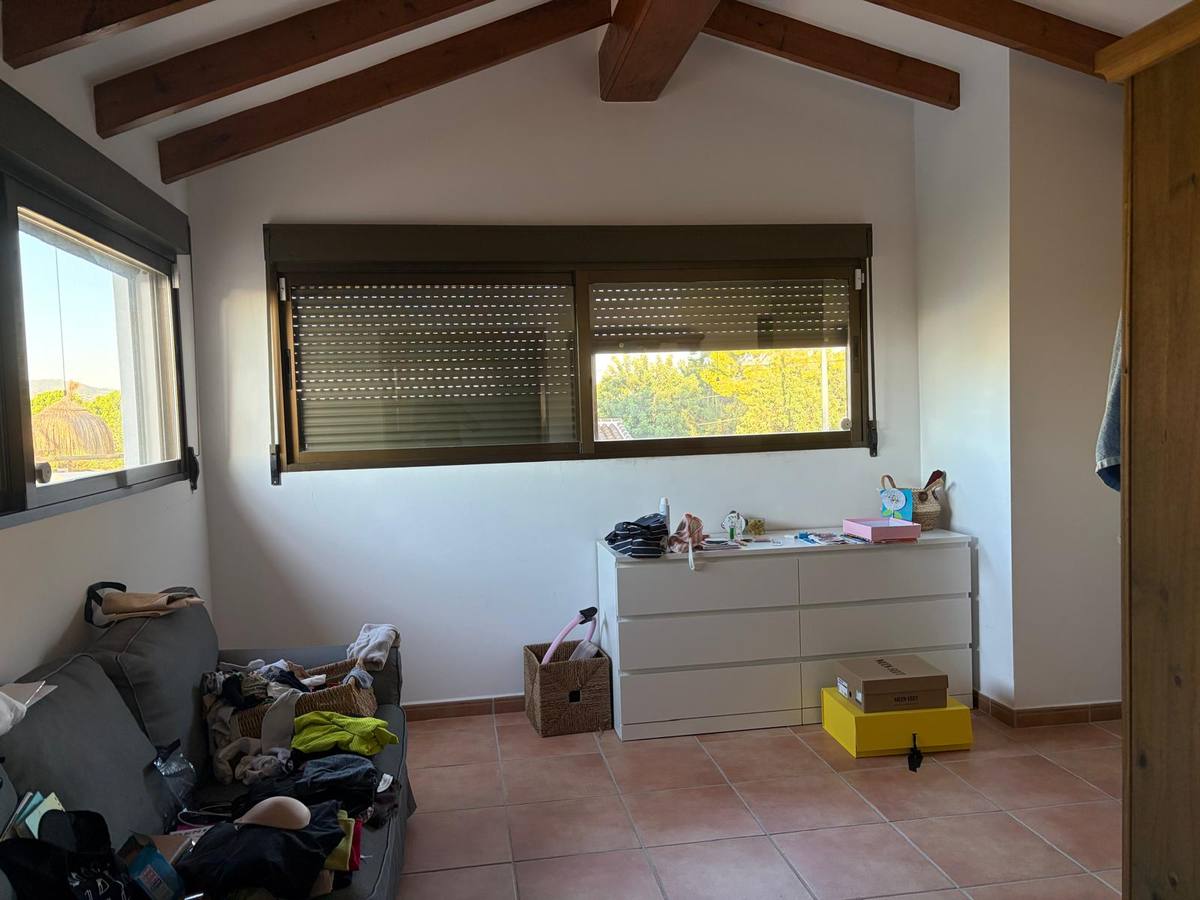
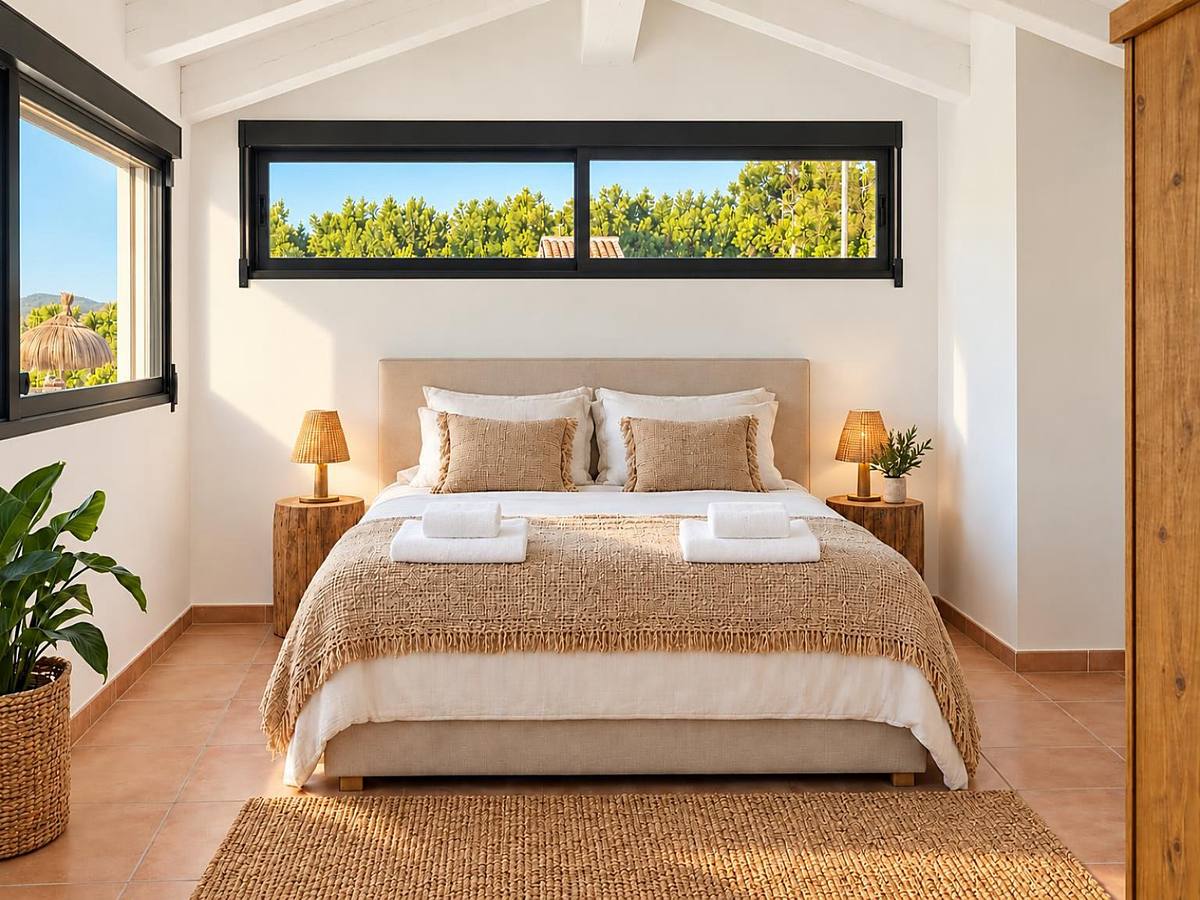
Brighter, calmer and tidier, on the client's own photo.
Why a visual helps you win the project
Mood boards and samples explain a direction, but many clients only say yes once they can see it in their own home. A photo of their room with your idea applied removes the guesswork and shortens the discussion.
Making those visuals by hand takes hours, and a 3D render is too much for a first proposal. You need something quick enough to use in the first meeting.
Magic Home Photos works with photos you already have. Describe the change in a short instruction, compare the options and share the result. The images are impressions to discuss ideas, not a final design.
What interior stylists show their clients
Colour changes.
A wall, cabinet or floor in a new tone, on the real room.
Furniture styling.
Cushions, plants, rugs and accessories added or rearranged.
Calmer, modern looks.
Clutter cleared and the room shown with a fresher, simpler feel.
Photos that work best for styling ideas
- Shoot the room from the corner, showing as much of it as possible
- Use daylight and switch on the room's own lamps
- Keep the camera level so walls stay straight
- Include the wall or furniture you want to change
- Take one photo per idea, so options are easy to compare
- Keep the original, so you can show before and after
How it works
Upload a photo of the client's room.
JPG, PNG, or WEBP, from a phone or camera.
Describe the change in one short instruction.
Example: “Paint the back wall sage green and add a large plant by the window.”
Download and share.
A few minutes per photo, in the background. Each photo can be edited 3 times per credit.
Frequently asked questions
- Does it replace a 3D render or a design plan?
- No. It gives a quick, realistic impression on a real photo, ideal for a first proposal or to compare directions.
- Will the room look like a different home?
- No. The room, framing and layout stay the same; only the change you describe is shown.
- Can I try several colours for the same room?
- Yes. Each credit includes up to 3 edits of the same photo, so you can try different options at no extra cost.
- Are phone photos good enough?
- Yes. Phone photos are sharpened, brightened and straightened automatically.
- Can I share the images with my client?
- Yes. Download them and use them in your proposal, email or presentation. Tell clients they are impressions of an idea.
- Who owns the photos?
- Your photos remain your property. We only use them to make your edits.
- What does it cost?
- 1 credit per photo, with no subscription. New accounts start with 15 free photos.