

For contractors and renovation companies
Show the result of the work, before you start
Clients decide faster when they can see the outcome. Take a photo of the current situation, describe the planned work, and show a realistic before-and-after impression. Same building, same framing.
No subscription. 1 credit per photo. Your photos remain your property.
New here? Read what Magic Home Photos is and how it works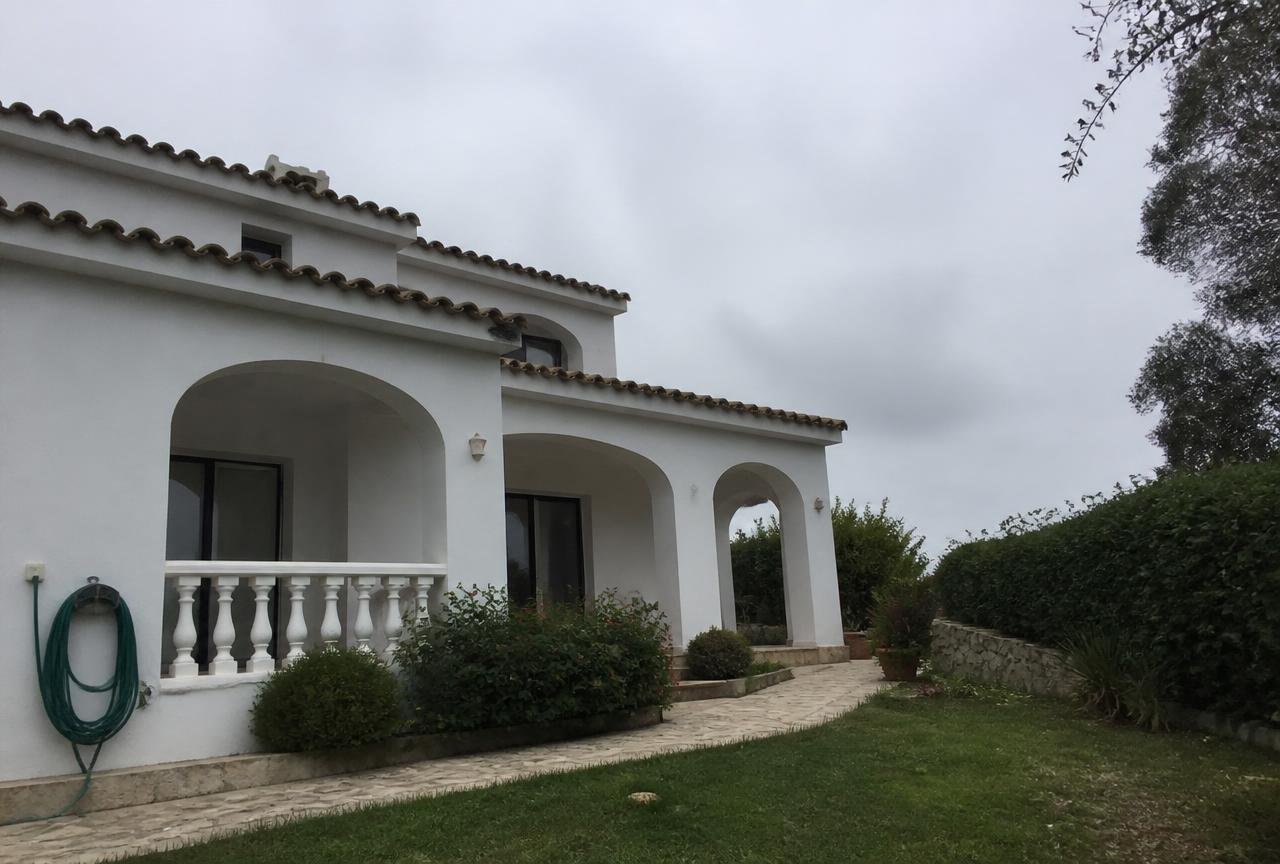
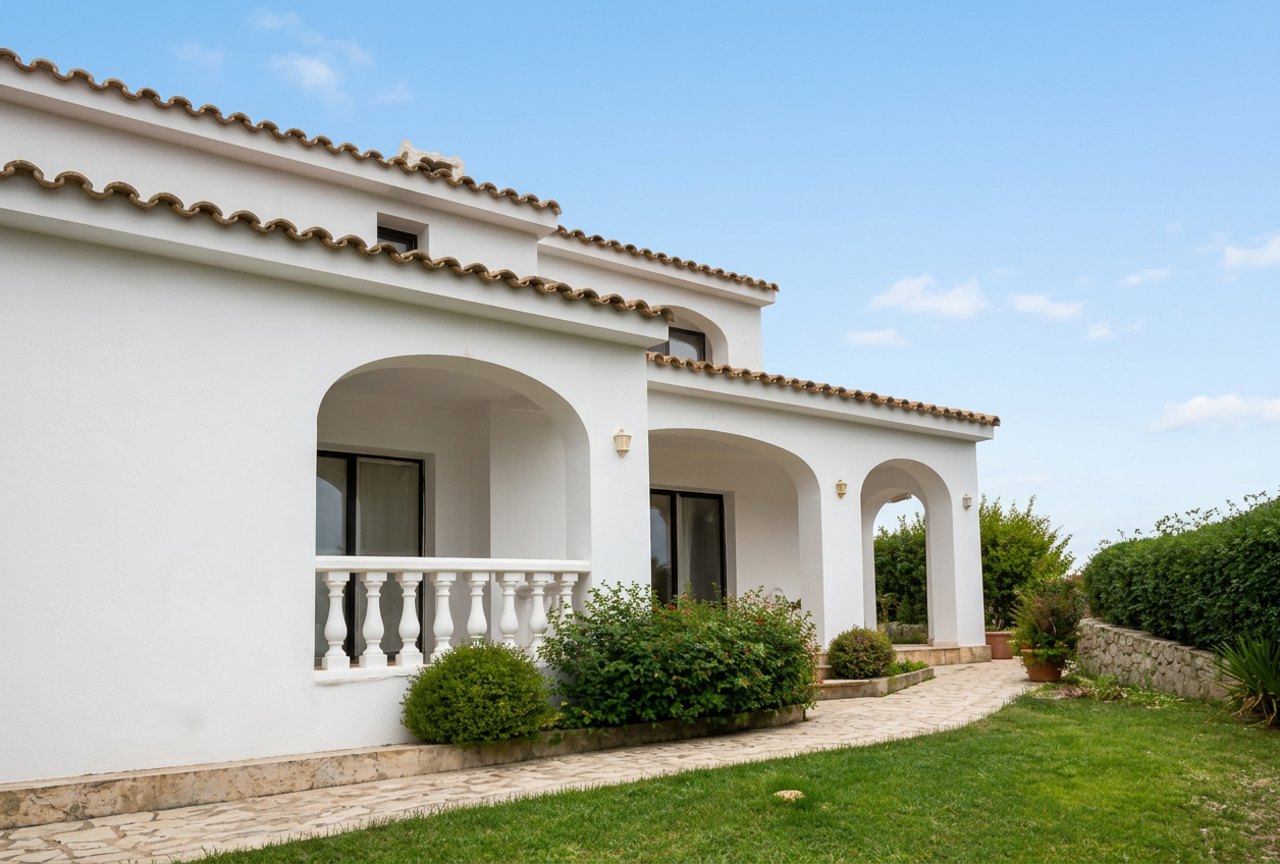
The current exterior and an impression of the finished result.
Why a before-and-after impression helps you sell the job
A quote lists materials and prices, but clients buy the result. When they see their own kitchen, terrace or façade after the work, the decision is easier and there are fewer misunderstandings about what you will deliver.
Drawings and 3D models take time and are often too much for a first quote. You need a visual you can make on the day you visit.
Magic Home Photos works with the photos you take on site. Describe the planned work in a short instruction and add the impression to your quote. The images are impressions, not technical drawings.
What contractors show their clients
Floors and walls.
New flooring, tiles, plaster or paint on the current room.
Kitchens and bathrooms.
New fronts, worktops and finishes shown in the existing space.
Terraces and façades.
Paving, decking, cladding or a fresh exterior from a photo of today.
Photos that work best for renovation impressions
- Photograph the whole area that will change
- Shoot in daylight, without strong shadows
- Keep the camera level so lines stay straight
- Take outside photos from where the client usually sees the building
- Take one photo per option, such as two floor colours
- Keep the original, so you can show before and after
How it works
Upload a photo of the current situation.
JPG, PNG, or WEBP, from a phone or camera.
Describe the planned work in one short instruction.
Example: “Replace the floor with light oak planks and paint the walls white.”
Download and add it to your quote.
A few minutes per photo, in the background. Each photo can be edited 3 times per credit.
Frequently asked questions
- Is the impression a technical drawing?
- No. It is a realistic visual impression to help the client decide. Dimensions and details still come from your quote and plans.
- Will the building look like a different property?
- No. The building and framing stay the same; only the work you describe is shown.
- Can I show several options?
- Yes. Each credit includes up to 3 edits of the same photo, so you can show different materials or colours at no extra cost.
- Are photos from my phone good enough?
- Yes. Phone photos are sharpened, brightened and straightened automatically.
- Can I use the images in quotes and on my website?
- Yes. Make clear to clients that they are impressions of planned work, not photos of a finished job.
- Who owns the photos?
- Your photos remain your property. We only use them to make your edits.
- What does it cost?
- 1 credit per photo, with no subscription. New accounts start with 15 free photos.