

Occupied homes
The home can stay lived in. The photo does not have to.
Beds unmade, a full worktop, a hose in the garden. Magic Home Photos clears what distracts, in the photo. You say what goes.
No subscription. 1 credit per photo. Your photos remain your property.
New here? Read what Magic Home Photos is and how it works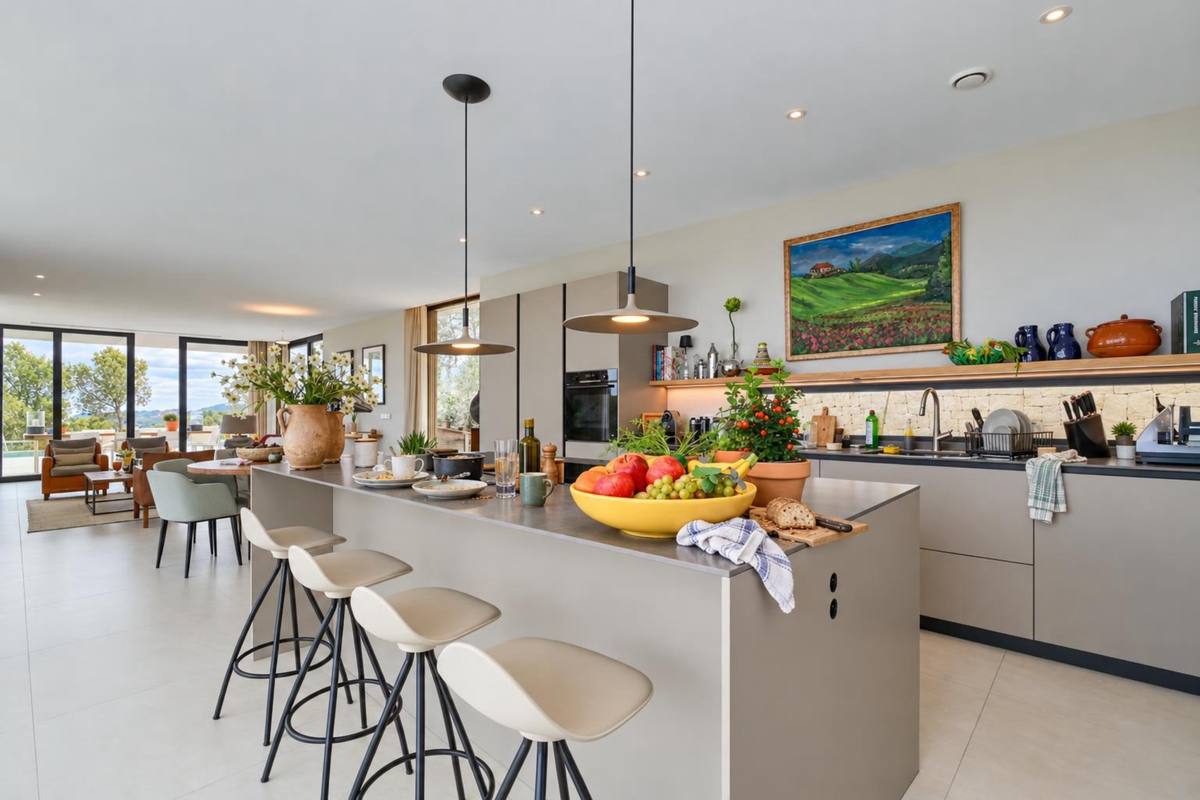
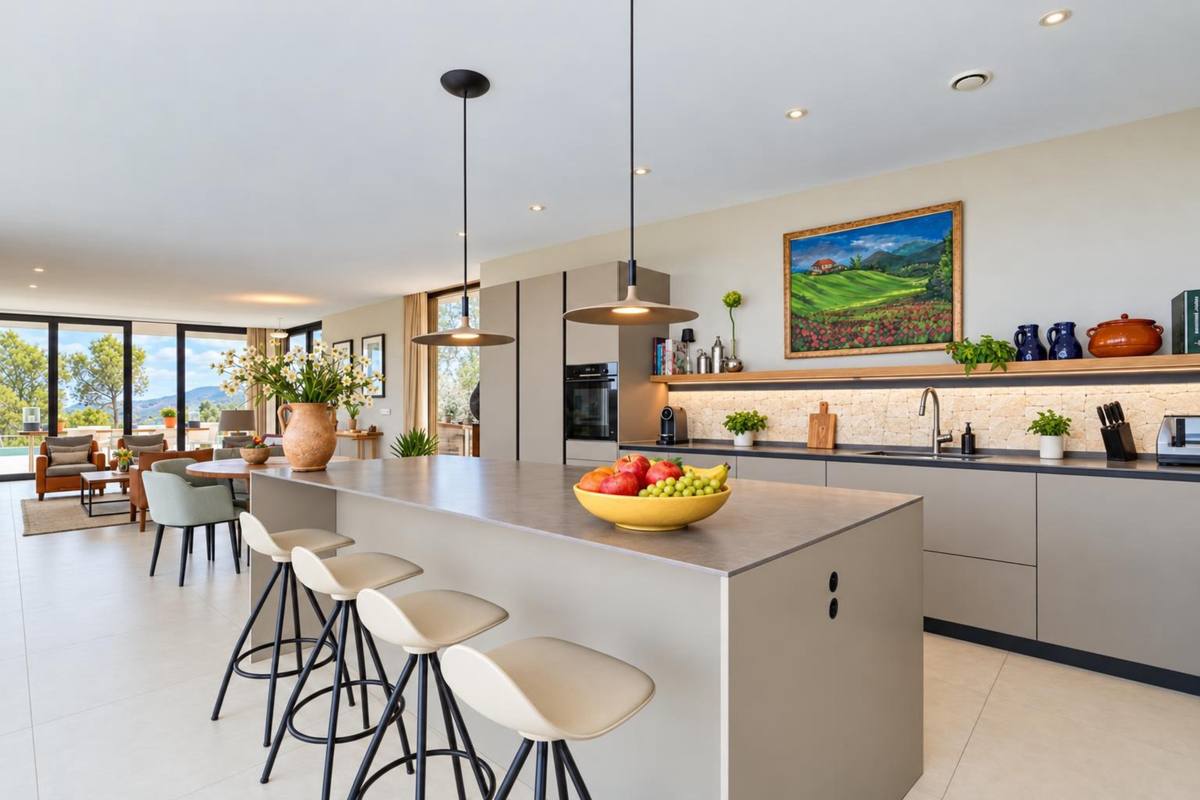
Clear the worktop, straighten the fridge, remove the magnets.
Why clutter costs you attention
Most homes are photographed while people still live in them. The tenant is at work, the owner has ten minutes, and there is no time to clear every surface. The result is a kitchen full of bottles, a bed that was slept in, cables behind the TV and a garden hose across the lawn.
None of that says anything about the property, but it is what people look at. On a small phone screen, clutter makes a room look smaller and busier, and the features you want to show, such as the space, the light and the finish, get lost.
With Magic Home Photos you clear the photo instead of the house. The standard pass removes obvious distractions. For anything specific, you add a short instruction on that photo and say exactly what goes. The room, its layout and its fixed features stay as they are.
What it does
The standard pass
The standard pass removes obvious distractions.
Ask per photo
A per-photo instruction for beds, curtains, worktops, cables and hoses.
Not unless you ask
Nothing specific is removed unless you ask.
Typical situations
Kitchens
Bottles, dish racks and fridge magnets. “Clear the worktop, remove the magnets.”
Bedrooms
Unmade beds and clothes on a chair. “Tidy the bed, remove the clothes.”
Living rooms
Cables, remotes and toys on the floor. “Remove the cables and the toys.”
Gardens and terraces
Hoses, bins and garden tools. “Remove the hose and the bins.”
How it works
- 01
Upload your photos.
JPG, PNG, or WEBP.
- 02
Add a short instruction if needed.
Only on the photos that need something specific.
- 03
Download.
A few minutes per photo, in the background. Each photo can be edited 3 times per credit.
Frequently asked questions
- Do I have to empty the house first?
- No. Take the photos as the home is today. You decide per photo what should disappear.
- Will it remove something I want to keep?
- Beyond obvious distractions, only what you put in the instruction is removed. Furniture, fixtures and the layout stay unless you ask otherwise.
- Is this honest towards buyers and tenants?
- Removing temporary items, such as bottles, cables or a hose, shows the same home in a tidier state. Do not use it to hide damage or permanent features. Those must stay visible in a listing.
- What about people in the photo?
- Photos work better without people. Take the shot when the room is empty if you can.
- How do I write a good instruction?
- Keep it short and concrete: name the object and where it is. For example “remove the bottles on the left of the worktop” works better than “make it tidy”.
- What if a photo needs another pass?
- Each credit includes up to 3 edits of the same photo. If something is still there, add it to the instruction and run it again at no extra cost.
- What does it cost?
- 1 credit per photo, with no subscription. New accounts start with 15 free photos.