

For landlords
Rental photos that look ready, even when the home is occupied
You need a listing today. The tenant is still there, the light is flat, and there is no budget for a photographer. Magic Home Photos improves the photos you already have. Same home, same framing.
No subscription. 1 credit per photo. Your photos remain your property.
New here? Read what Magic Home Photos is and how it works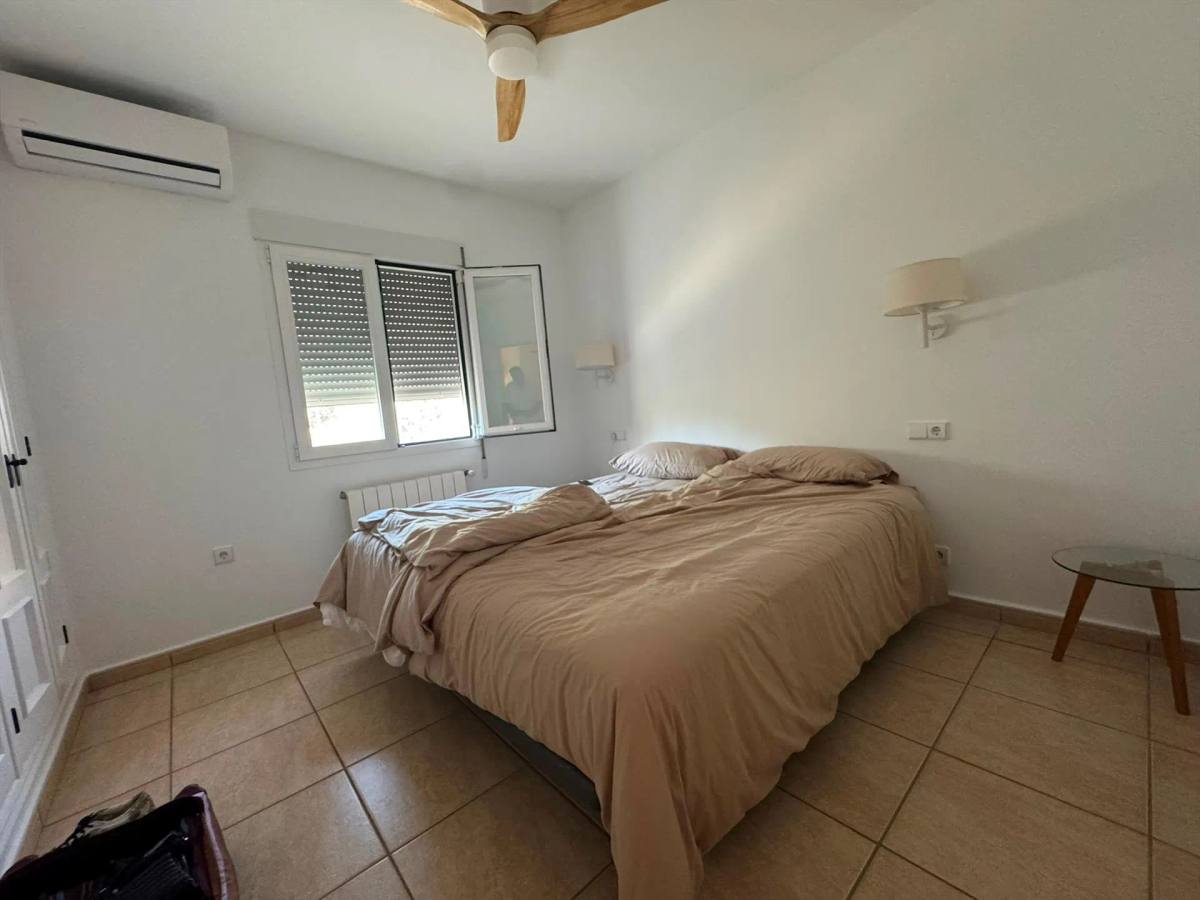
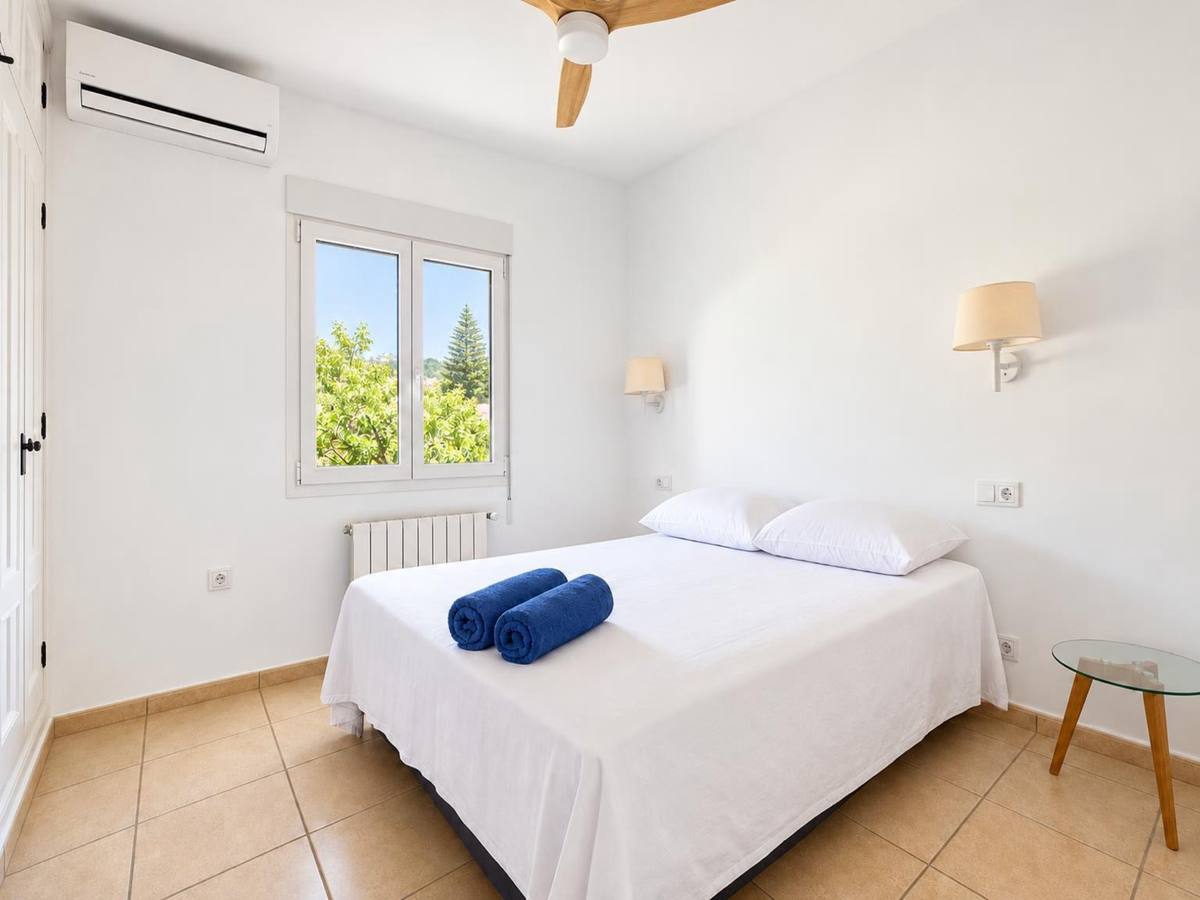
Straighten out the vertical lines. Make the bed with two neatly rolled-up towels at the foot of the bed.
Why rental photos matter, even in a busy market
A well-photographed rental gets more serious enquiries and fewer wasted viewings. People can see the layout and the condition before they visit, so the ones who come are already interested. Poor photos do the opposite: the advert looks neglected, good tenants skip it, and the property stays empty longer.
The difficulty is timing. Often the current tenant still lives there, the rooms are full of their things, and you only get a short window to take photos. A photographer is hard to justify for a single flat.
Magic Home Photos works with the photos you can get. Take them on your phone during the viewing or the inspection. Upload the set, add a short instruction where something needs to go, and download a listing that looks looked-after. Same home, same framing.
What landlords fix before they publish
Phone photos.
Sharper and brighter, without resizing by hand.
Occupied rooms.
Beds, worktops, and stray objects tidied in the photo.
A consistent set.
Every room in the advert with the same light and colour.
Two more examples


Make sure the pool and garden are filled with warm sunlight. Place neatly rolled white towels on the sun loungers. Remove the electrical cables hanging above the pool.
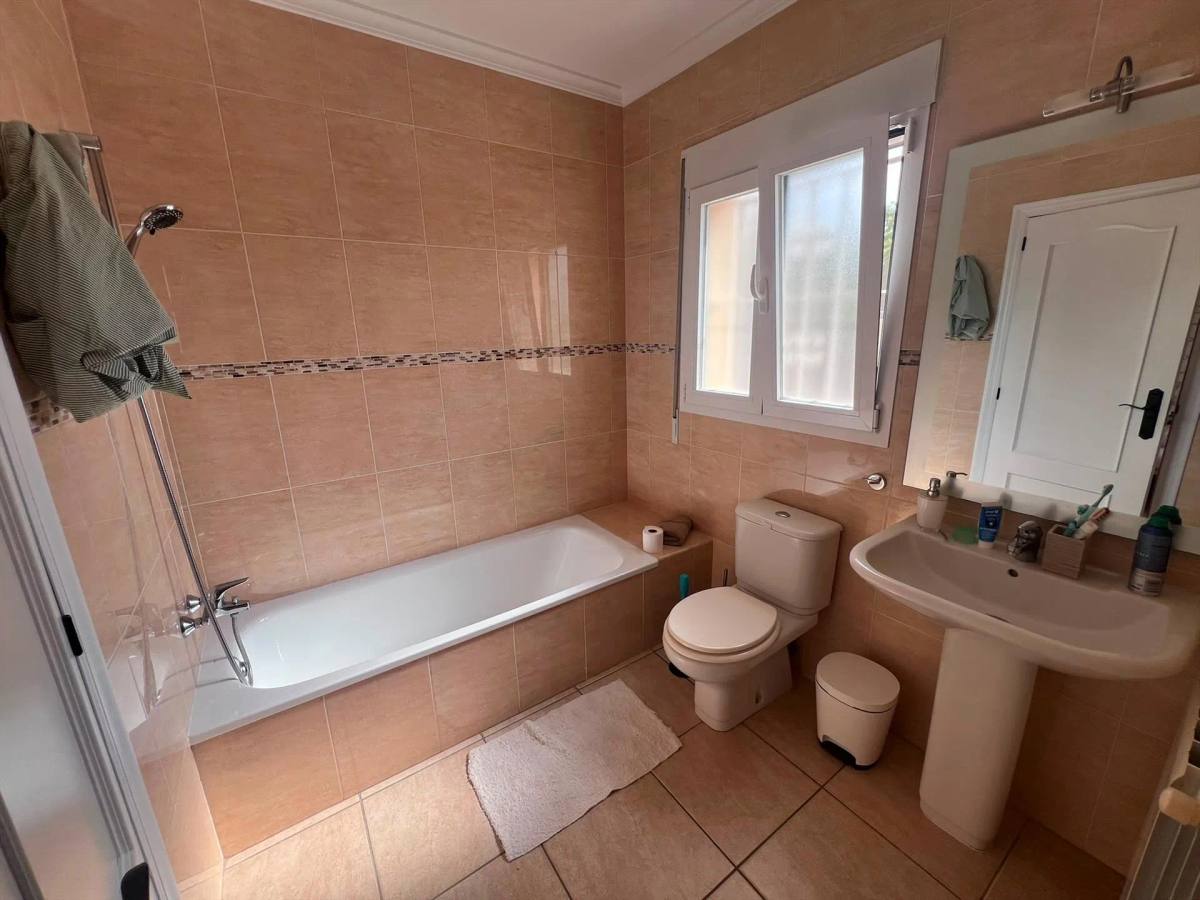
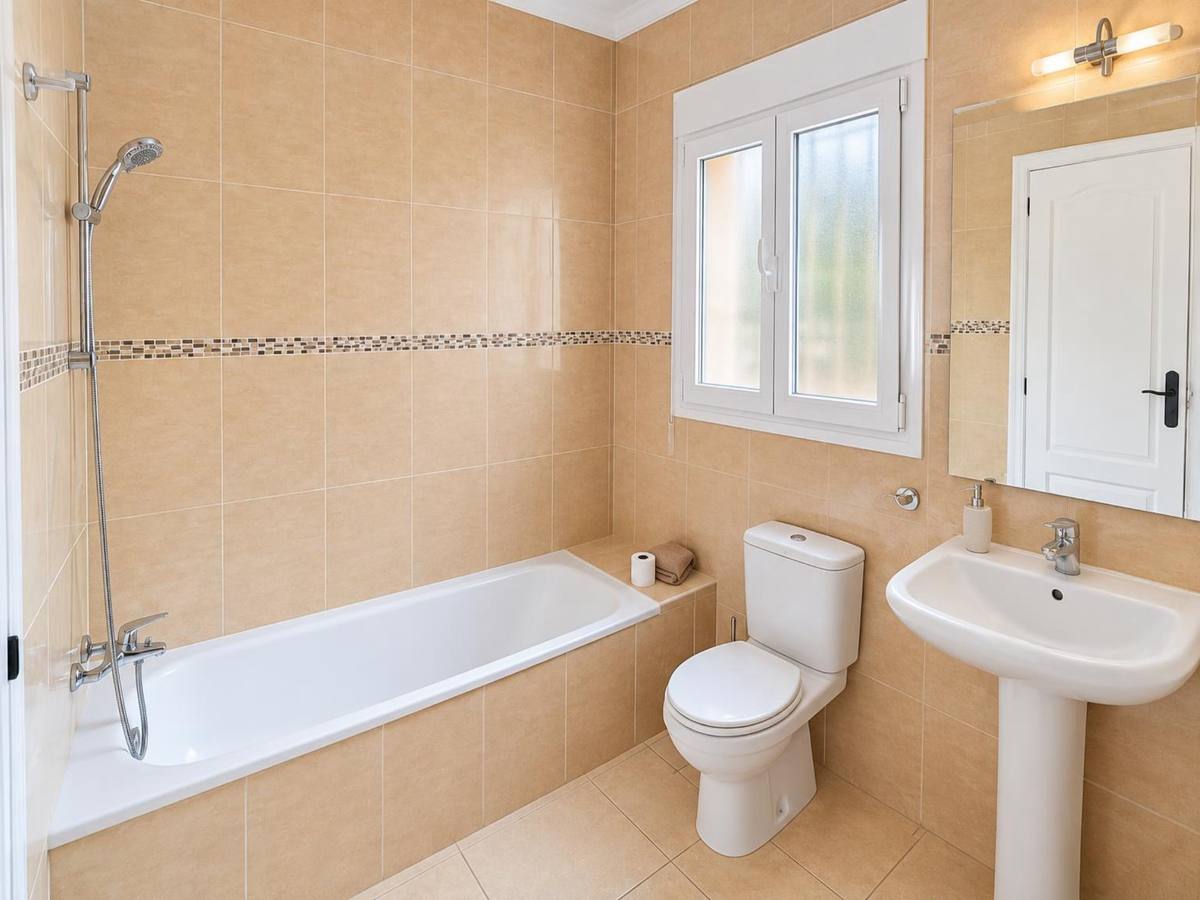
Straighten the vertical lines. Remove the towel that’s lying on the floor and hanging on the wall. Close the window. And tidy up the washbasin.
What to photograph for a rental listing
- The living room from the corner, showing as much floor as possible
- The kitchen, including the appliances that stay
- Every bedroom, with the bed and the storage
- The bathroom, with the shower or bath visible
- Outside space: balcony, garden or terrace
- The front of the building or the entrance
Took them in a hurry? Brighten dark rooms, straighten walls and remove clutter afterwards.
How it works
Upload the photos from your phone or camera.
JPG, PNG, or WEBP.
Add a short instruction only where you need it.
Example: “Clear the table, more light, straighten the walls.”
Download.
A few minutes per photo, in the background. Each photo can be edited 3 times per credit.
Frequently asked questions
- Do I have to empty the property first?
- No. You can tidy distracting items in the photo, such as clothes, bottles or cables, by naming them in an instruction.
- Will the rental look like a different home?
- No. Same property, same framing. Do not use edits to hide damage or defects: tenants should find the home they saw in the advert.
- Can I do a whole flat in one go?
- Yes. Upload the set as one project and add an instruction only on the photos that need it.
- Are phone photos good enough?
- Yes. Phone photos are sharpened, brightened and straightened, and large files are resized for the web automatically.
- Can I use the photos on any rental website?
- Yes. The files are prepared for websites, portals and social media.
- What if the first result is not right?
- Each credit includes up to 3 edits of the same photo. Add a short instruction and run it again at no extra cost.
- What does it cost?
- 1 credit per photo, with no subscription. New accounts start with 15 free photos.