

Property photo guide
Preparing property photos for online listings
Start with clear originals, make only the changes the property needs, then check both the images and the listing page. This guide brings together Magic Home Photos’ existing advice on phone photos, editing and photo SEO.
Before you publish
- Use original files and show the spaces buyers or guests need to see.
- Check light, straight lines and distractions without misrepresenting the home.
- Give each image a descriptive filename and useful ALT text.
- Check the finished listing on a phone, including photo loading and order.
1. Choose the right originals
Use the original camera or phone files rather than screenshots or copies downloaded from an old listing. A clear source gives you a better starting point than a heavily compressed image. Keep an untouched copy so you can compare the finished edit with the real home.
Choose a set that explains the property: living spaces, kitchen, bedrooms, bathrooms, entrance and any relevant garden, terrace, pool or view. Avoid several nearly identical angles while leaving an important space unseen. Use only photos you own or have permission to publish.
Which property photos are suitable?2. Prepare the space and keep the camera level
Before taking new photos, clear temporary clutter, tidy worktops and bedding, and check mirrors and windows. Look for distracting cables, hoses and loose objects. Photograph the home as it will actually be offered, rather than hiding permanent features or defects.
For phone photos, keep the camera level, use its grid and avoid pointing strongly up or down. Take a moment to check door frames and the horizon. If the image is severely blurred or important details are missing, retaking it is a better starting point than expecting an edit to recover information that is not visible.
Taking phone photos for listings3. Edit for clarity, not a different property
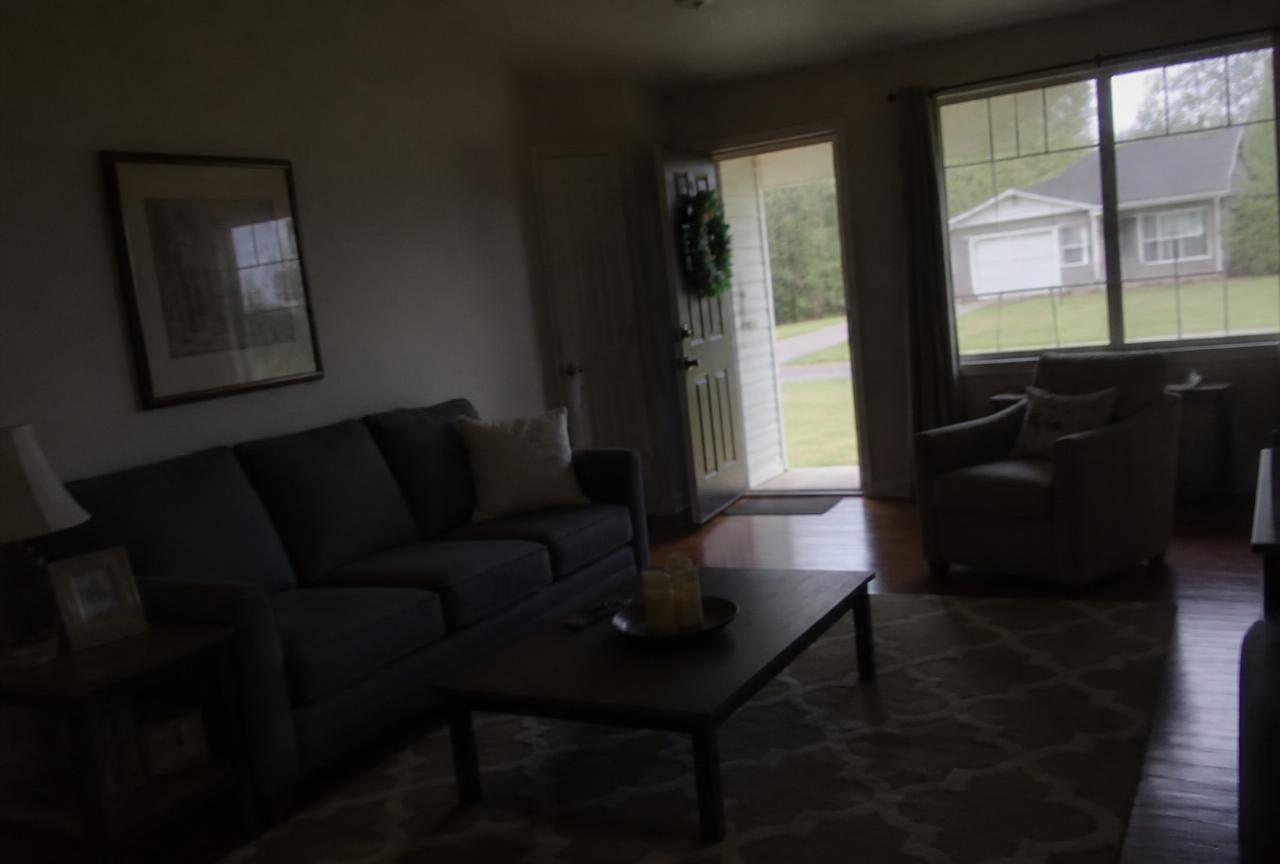
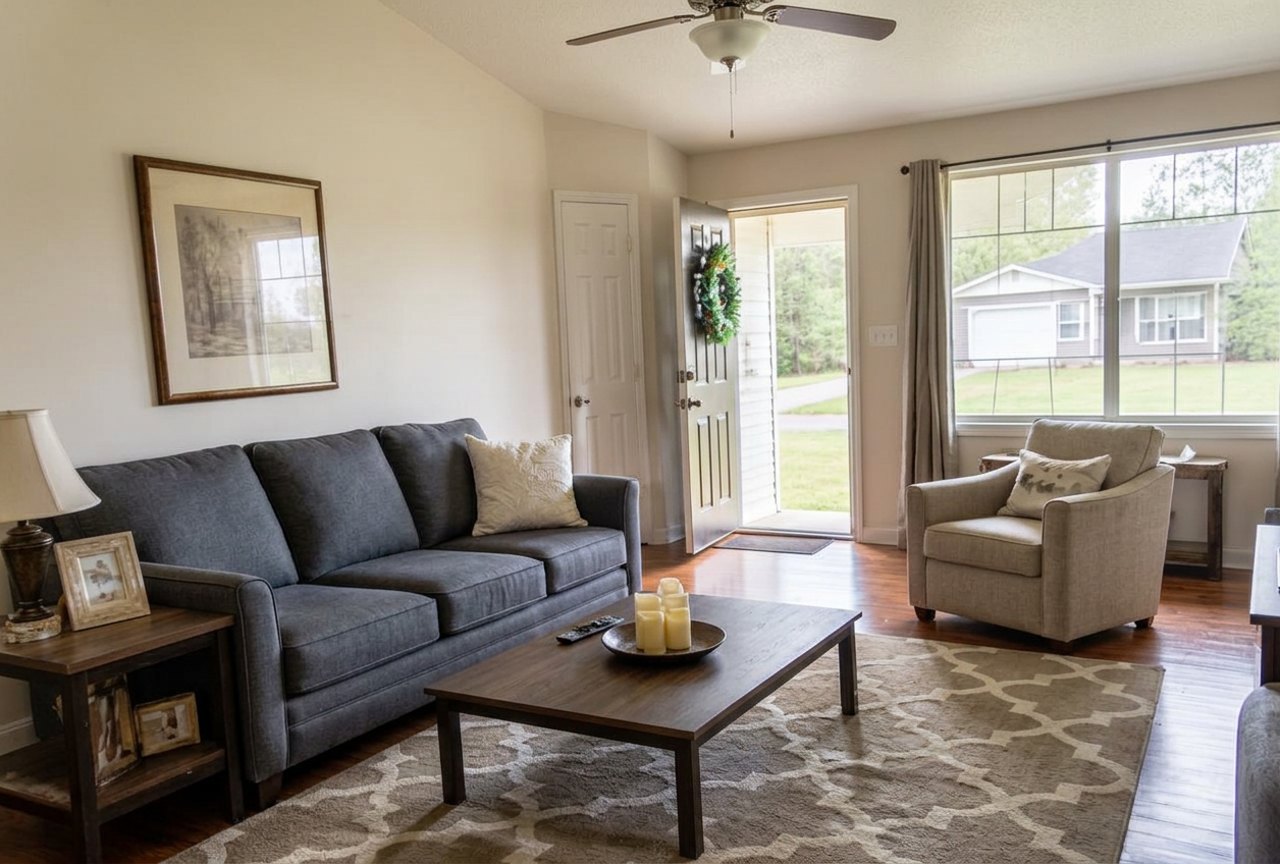
Start with light, colour, sharpness and straight verticals. In Magic Home Photos, a standard pass provides general polish; specific changes such as tidying bedding, clearing a worktop or removing a garden hose need a task or short instruction. Review each photo rather than applying one request blindly to the whole set.
An instruction such as “remove the cable beside the sofa” is more precise than “make it perfect”. Compare the result with the original: room proportions, doors, windows, permanent fittings and the number of beds should still represent the home. A renovation visualisation is not a photograph of the property’s current condition; label it clearly and keep current-condition photos available.
Original example
Edited example
4. Prepare files that work on the listing site
Download the finished images and check the destination’s current file-format, dimension and file-size requirements. Magic Home Photos accepts JPG, PNG and WEBP and prepares large originals for web use. There is no single ideal export size for every portal: inspect the actual uploaded image rather than assuming one rule fits all sites.
Open the listing on a phone and a larger screen. Check that images look clear, are not unexpectedly cropped and load without long waits. Keep your original files separately; do not repeatedly enlarge a small, compressed image and expect new detail.
About photo quality and size5. Use descriptive filenames and ALT text
Replace a camera name such as IMG_2048.jpg with a short filename describing the property and visible subject. Write ALT text as a useful description of this particular image, not a list of search keywords. Distinguish different rooms rather than repeating the same text on every photograph.
- Example filename
- villa-javea-living-room-terrace-doors.jpg
- Example ALT text
- Villa living room with sofa and doors opening onto a terrace in Jávea
Magic Home Photos can create filenames and ALT descriptions from your property details and the photo. Embedded image metadata is not the same as the ALT attribute on a website: if your website or portal does not import that description, enter it in the image’s ALT field yourself. Place the photo near relevant property text and check the published result.
Descriptive text helps explain an image; it does not guarantee Google indexing, rankings, bookings or enquiries. Google decides what to index. Your own website also needs accessible image URLs and relevant listing content.
How Photo SEO filenames and ALT text work6. Review the whole listing, then consider a video
Choose a representative opening photo, then order the set so viewers can follow the property. Check every image against the listing description, remove duplicates and make sure important spaces are still included. Preview the final published page, not just the files on your computer.
If you also want a property video, use the reviewed photo set as its starting point. Magic Home Photos lets you choose photo order, style and music, with optional animation. A video complements still photos; it does not replace a complete, accurate photo set or guarantee search visibility.
How to make a property video